Siemens Prisma 3T walkthrough
Organization
The purpose of the ReproIn effort is to automate as much as possible, requiring just the minimal amount of information entry at the scanner sufficient to have the collected session placed correctly within a hierarchy of datasets, get the new data converted to BIDS, and (optionally) place it under version control with DataLad.
To achieve that, we first need to make it possible for DICOMs to carry information about the Investigator (e.g. a PI of the study or a mentor), the corresponding Experimenter (a student/assistant, or the Investigator themselves), and the study (in our case ID-name) itself.
Tree -> Investigator
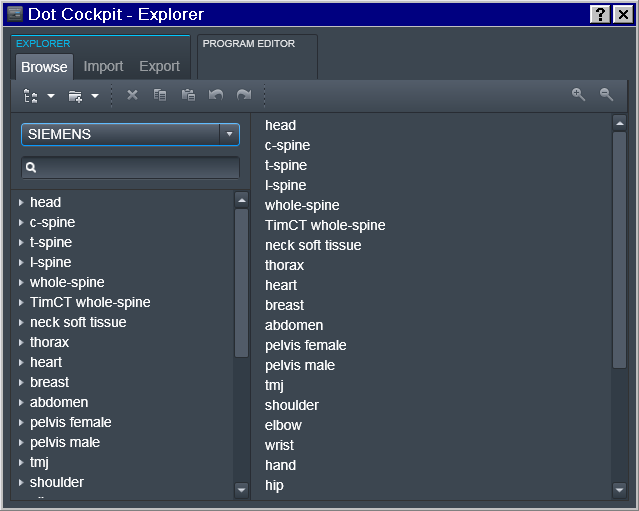
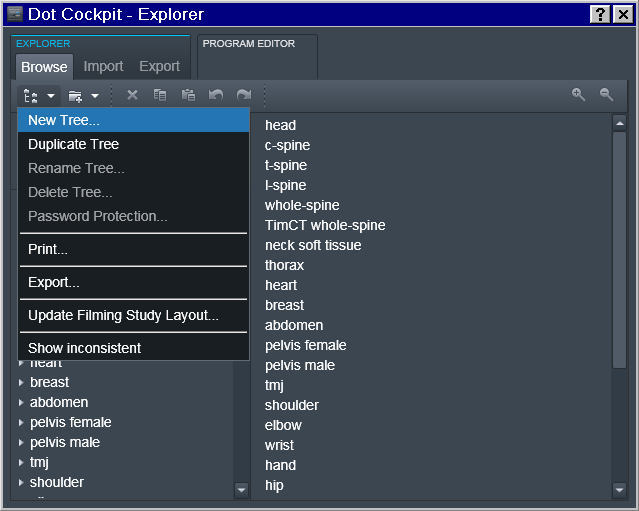
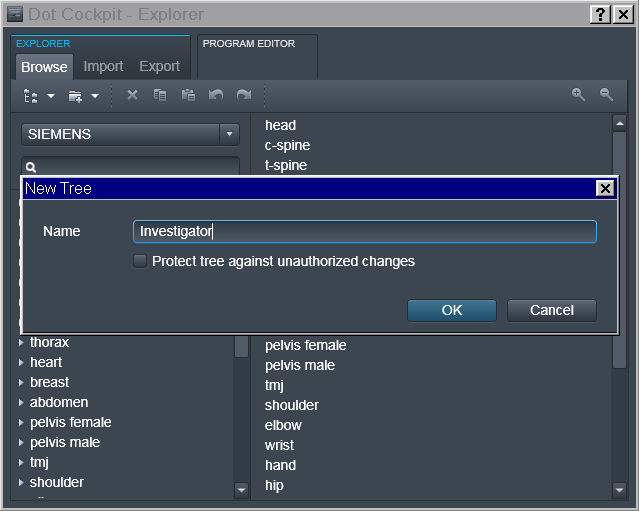
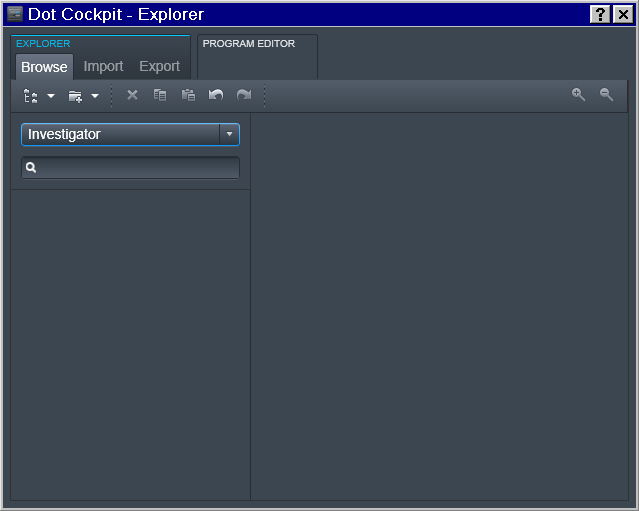
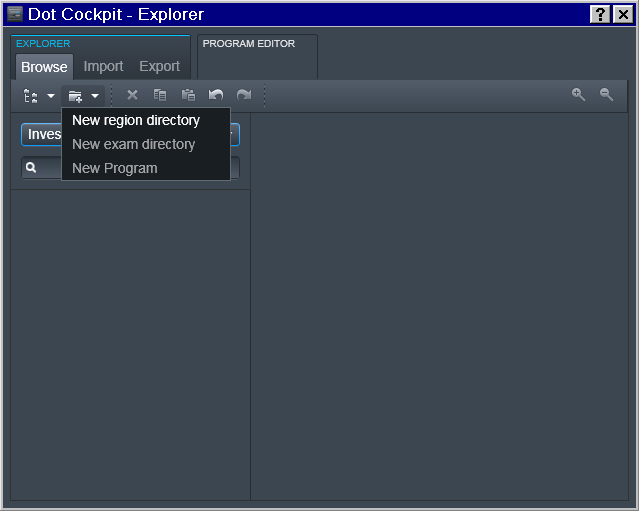
To accomplish that, in the Dot Cockpit we first created a dedicated tree for each Investigator:
Region -> Experimenter
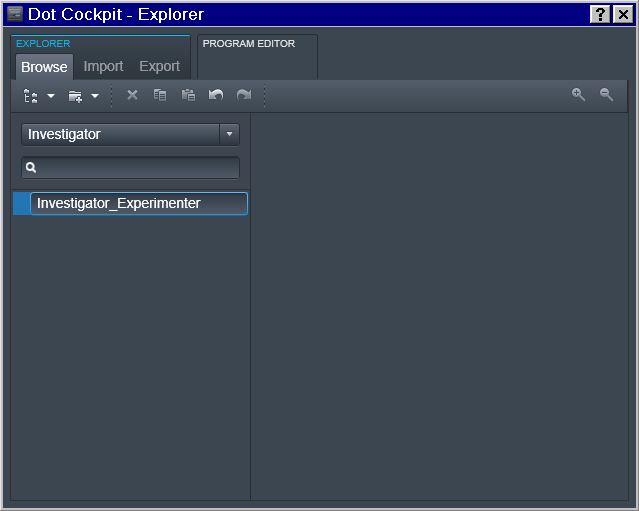
Then for a specific Experimenter who is responsible for the study we
defined the 2nd level (Region) entry as a join Investigator_Experimenter
entry
Exam -> Study
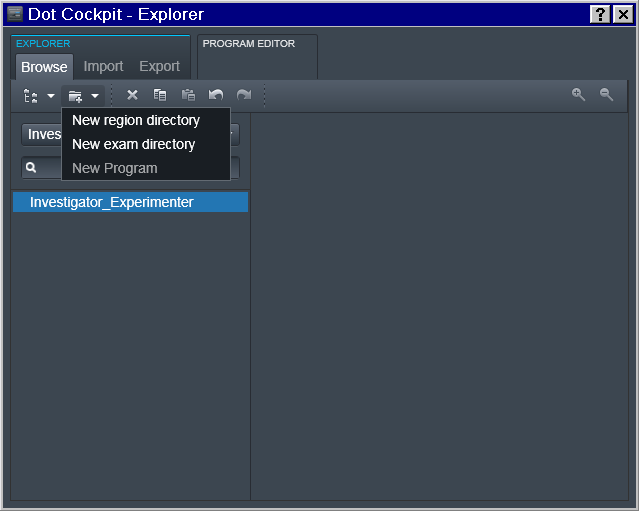
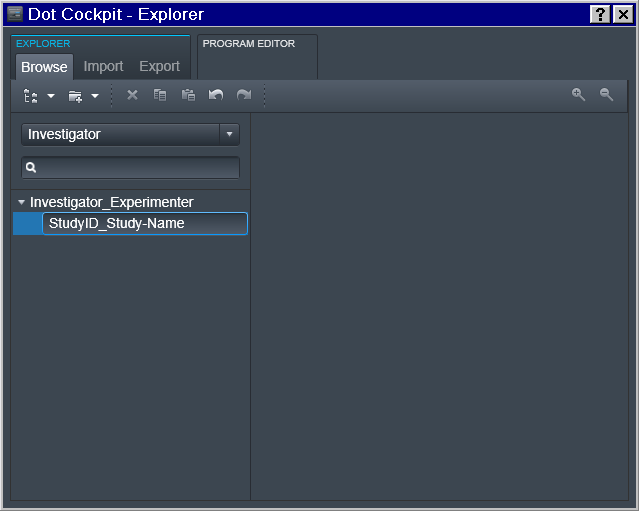
And then at the 3rd level of the Exam we define the study.
Note: you could have multiple entries at any of those levels (e.g. multiple Experimenters working for the same PI; or multiple studies for the same Experimenter):
New Program
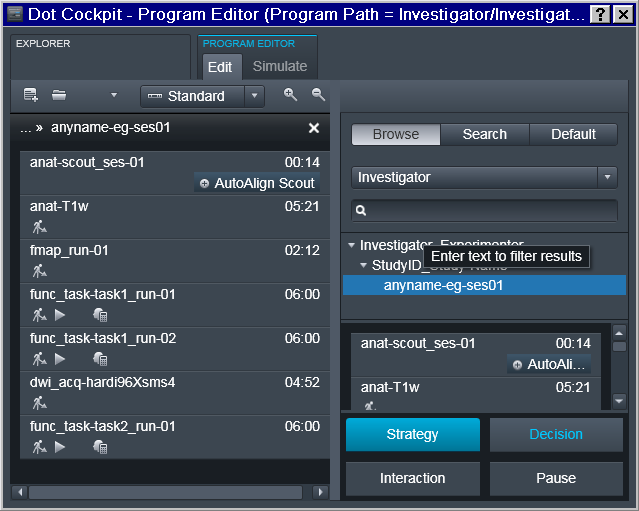
Now it is possible to finally define Program(s) with the desired sequence of protocols:
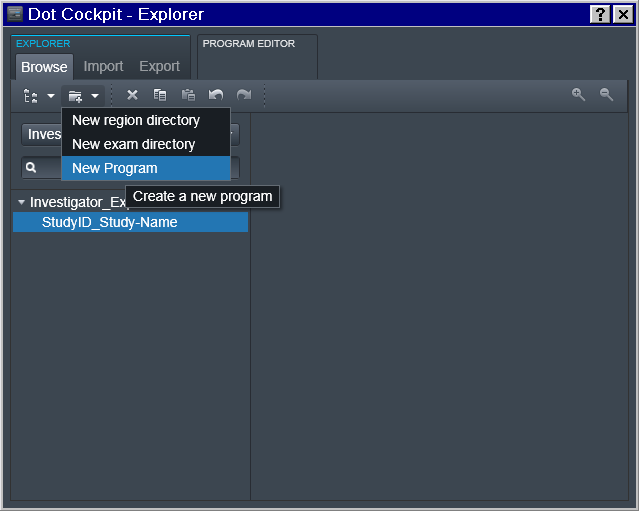
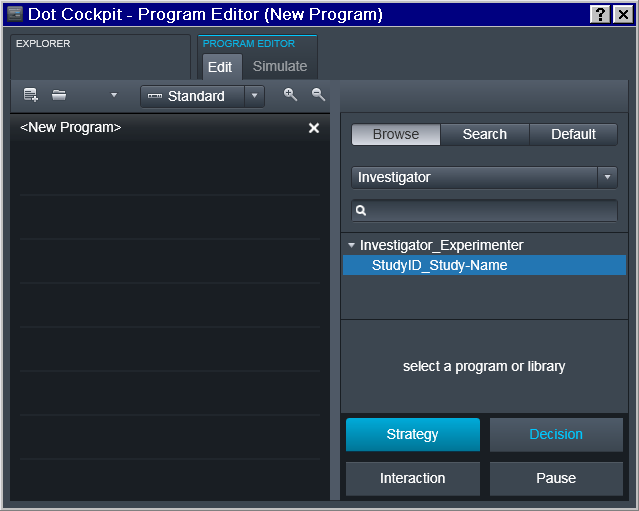
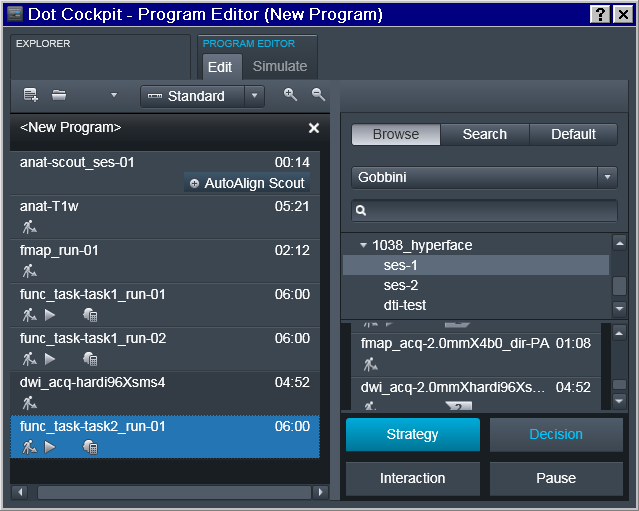
Note that the sequence names follow the ReproIn specification. So in the example below it is intended for the first session of a study collecting a T1 anatomical, a fieldmap, two runs for task1 functional sequence, then a diffusion image, and completes with a single run for the functional task2. Those sequences could be copied from prior/other studies which might have already followed the naming convention and otherwise have desired settings:
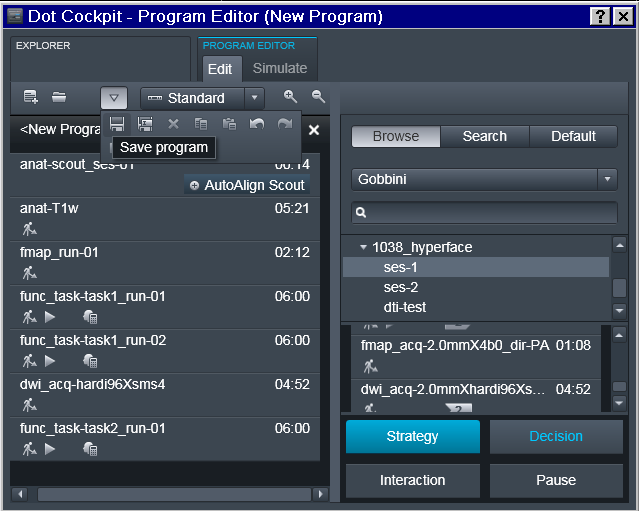
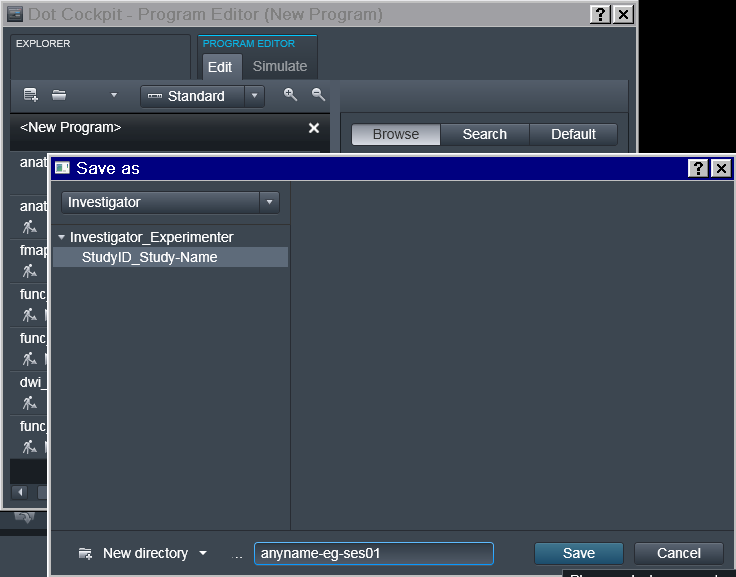
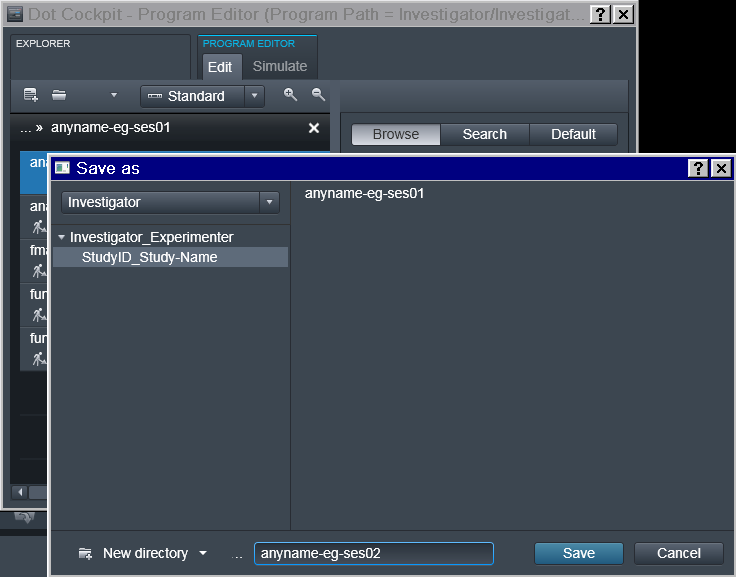
The Program should be saved under some descriptive (but otherwise arbitrary)
name. Note that if the study requires multiple scanning sessions, it is
useful to use the _ses- suffix to indicate right away which session a
particular program is intended for.
Next Session
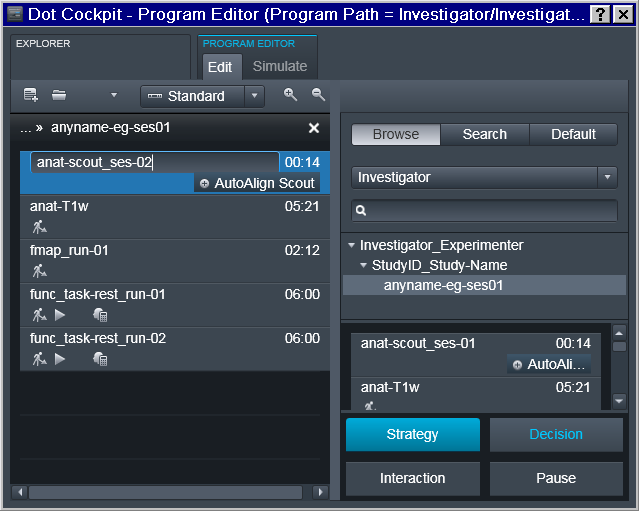
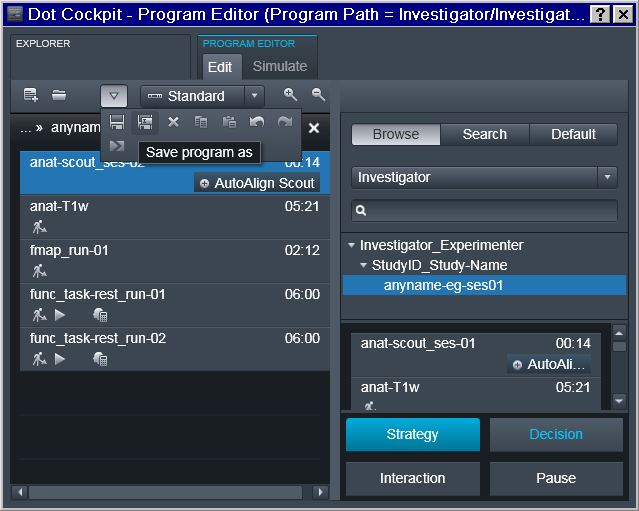
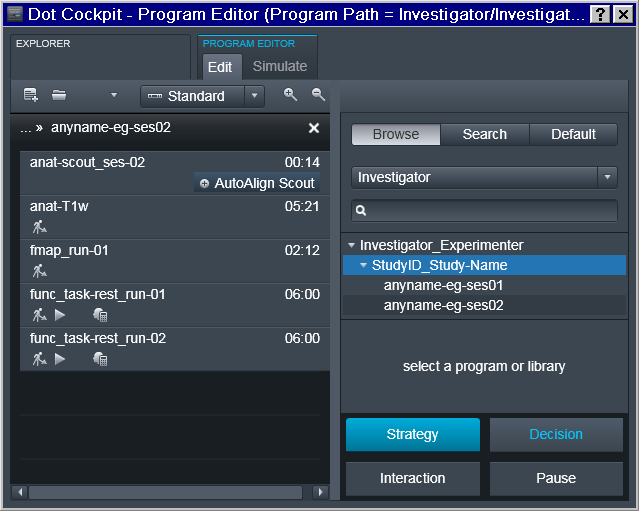
The program for the next session should acquire a session marker within the name of the scout sequence, and be saved separately:
New Accession
Register a (New) Subject
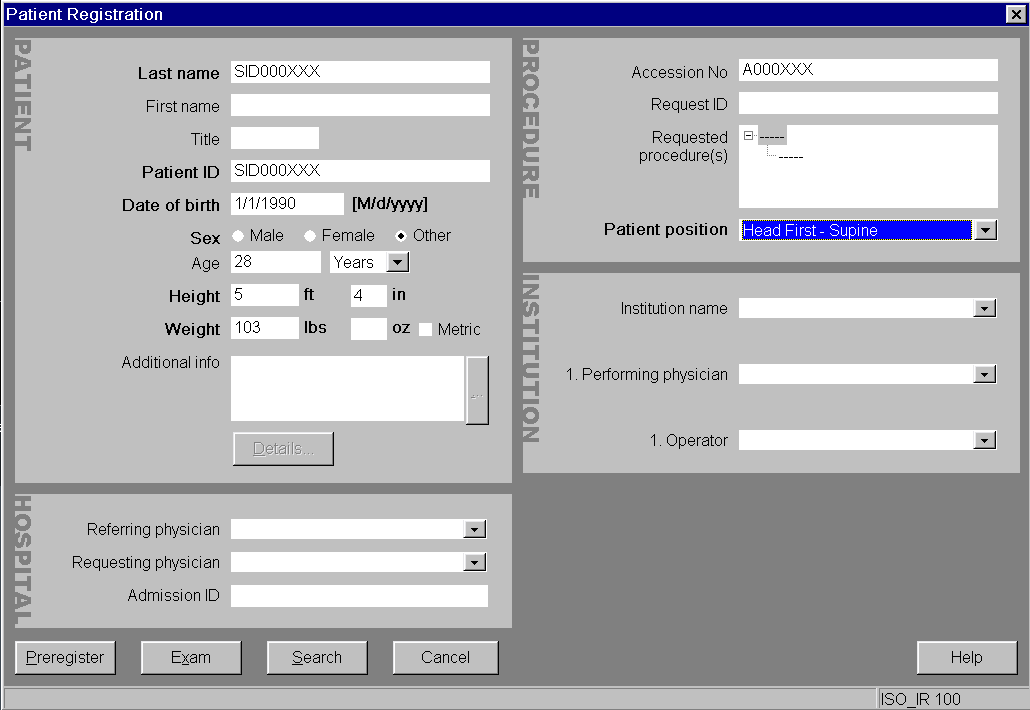
In the exam card we enter no personal information, to avoid leakage through
DICOMs. All personal data for a given subject ID is stored elsewhere
(Age and Sex from the exam card though are used to autofill up
age and sex fields within participants.tsv):
Choose the Investigator in the Tree
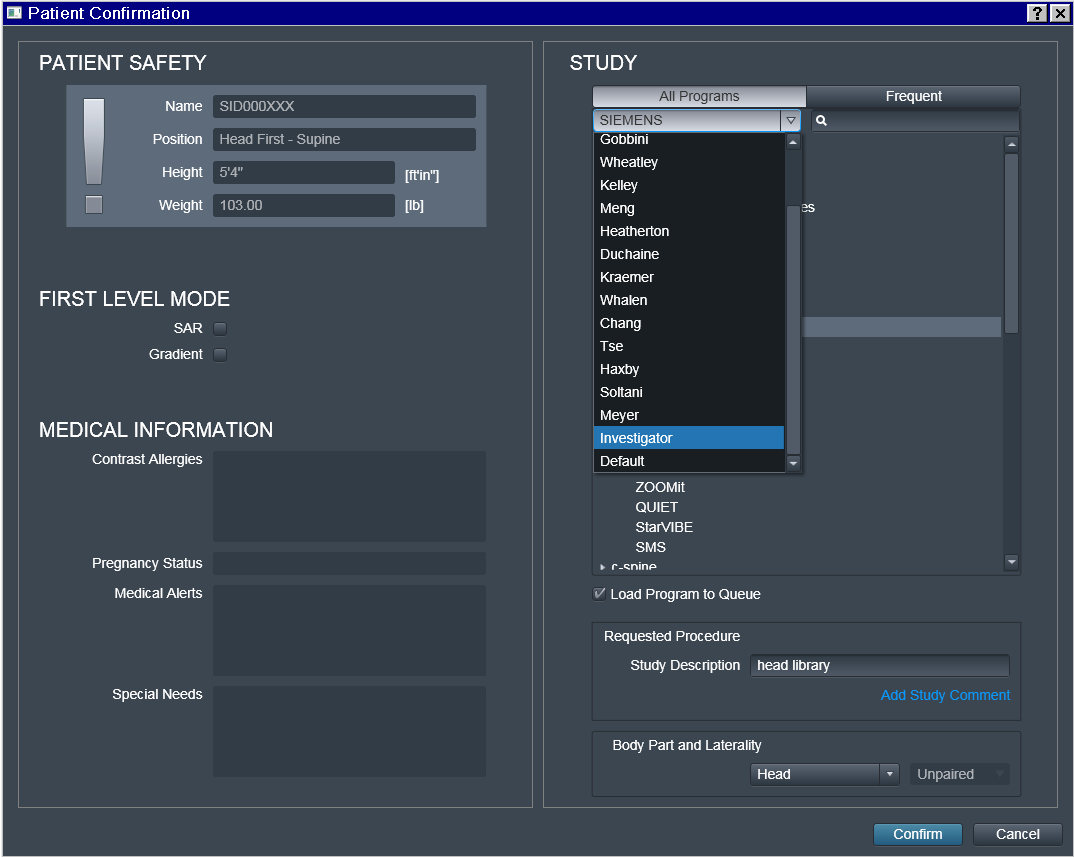
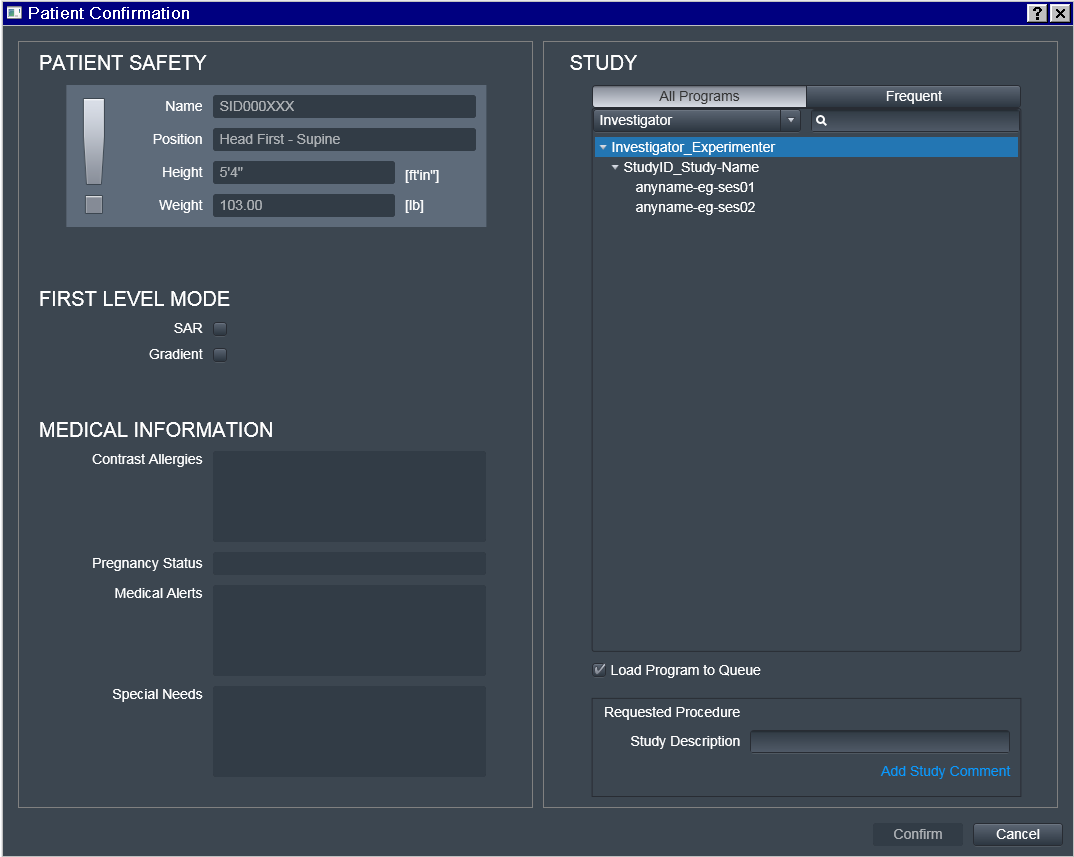
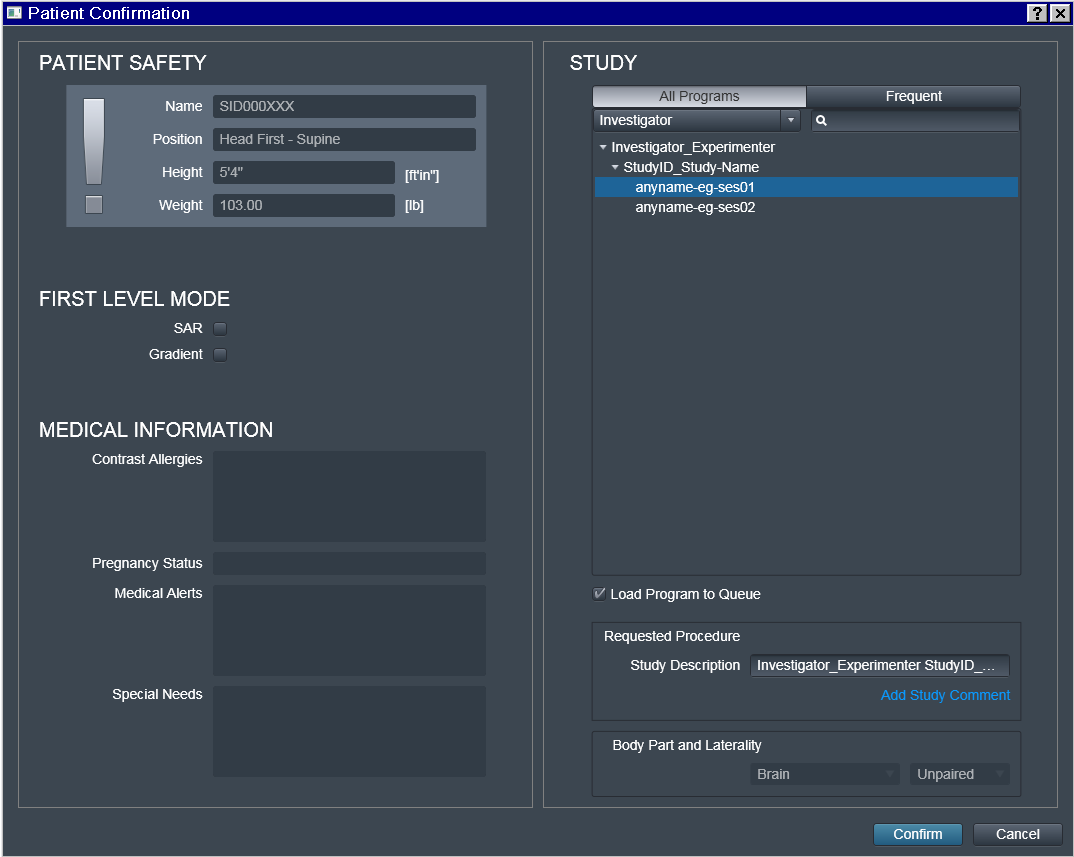
Choose the desired Program
That is where some "magic" (i.e. automation) happens:
Investigator_Experimenter and StudyID_Study-Name fields get copied
by the UI into the Study Description field which later is included
within transmitted DICOM headers.
Note also that only the Investigator_Experimenter and
StudyID_Study-Name fields get copied into the Study Description. The
Program name (such as anyname-eg-ses01) is not copied, and
appears nowhere within the DICOM, which precludes its utility for automation
(hence anyname was chosen here for this example).
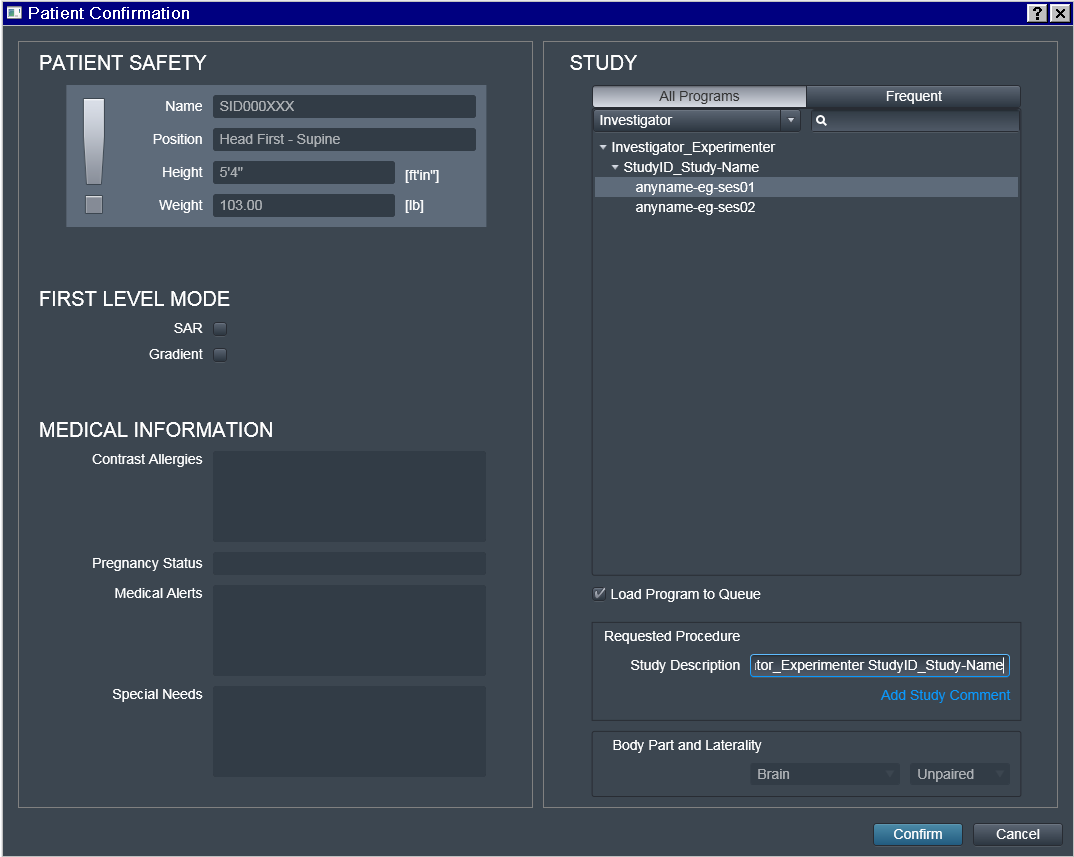
Do not edit Study Description, unless you really need to and can
guarantee consistency. This field will determine the location of
the dataset on the filesystem within the hierarchy of datasets (DataLad
datasets, if run with the --datalad option). Having this fully automated
guarantees that for the next subject/session the data will be placed into
the same dataset without the need to specify the target location manually,
thus preventing possible human errors.
Interrupted Scan
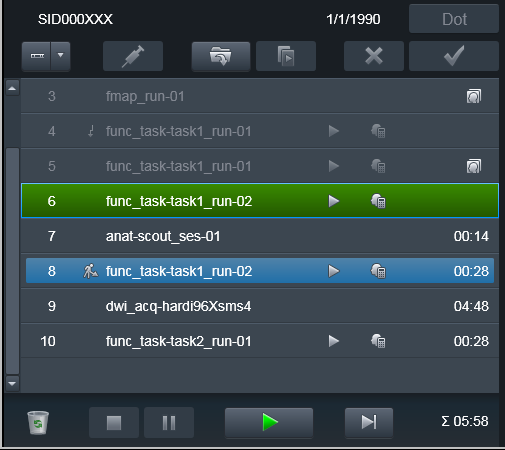
As you can see in the following example, we have interrupted
the func_task-task1_run-01 functional scan, maybe because our phantom
fell asleep. Our scanner console is configured to transmit data
immediately after a volume is successfully collected, so those volumes had
already been transmitted to PACS:
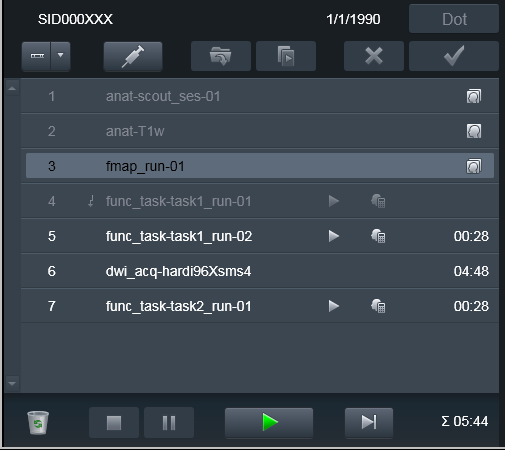
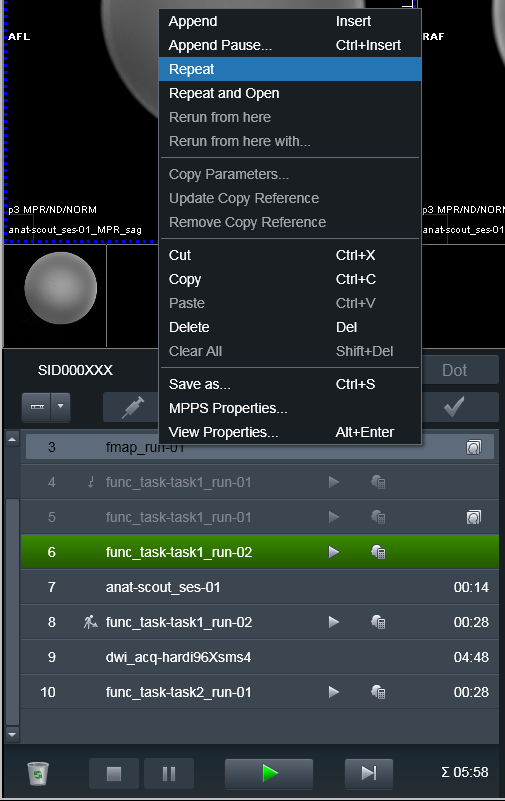
To make heudiconv reproin heuristic figure out that the run was
canceled or otherwise needs to be discarded, just Repeat the run
without changing anything in its name!:
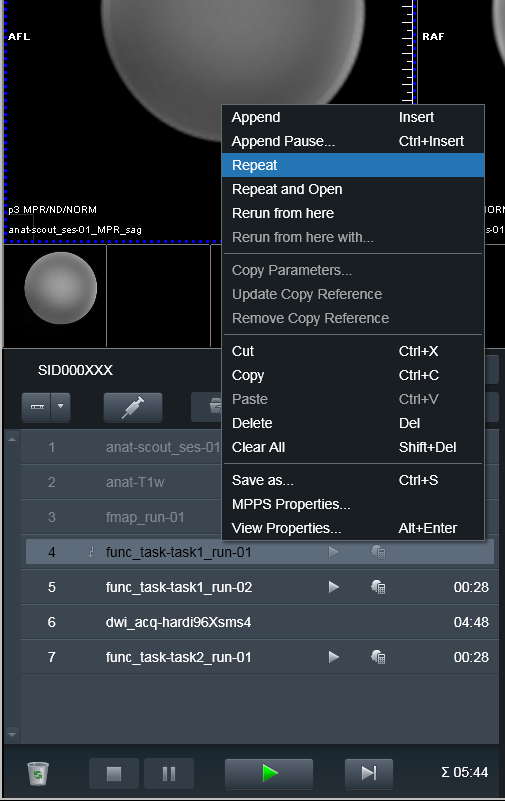
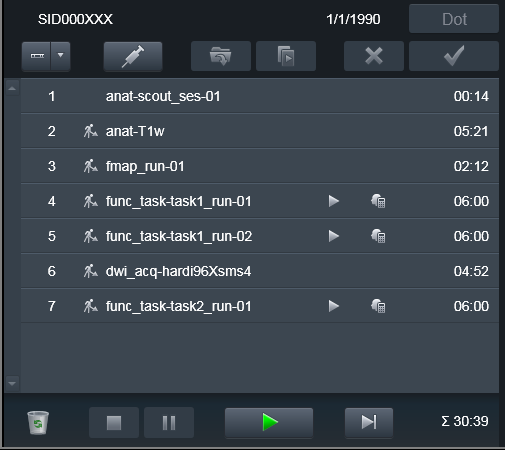
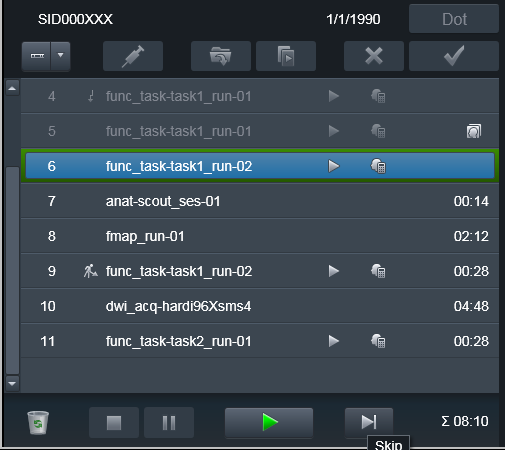
Then, upon conversion, the earlier (e.g. canceled) scans will also be
converted, but assigned __dupX suffix (X is an incrementing integer to
allow for possibly multiple canceled runs). This way the data curator can
inspect those volumes and, if everything matches the notes/sanity checks,
remove those __dupX files. Meanwhile you can proceed with completing
your Program of scans:
Interrupted Program
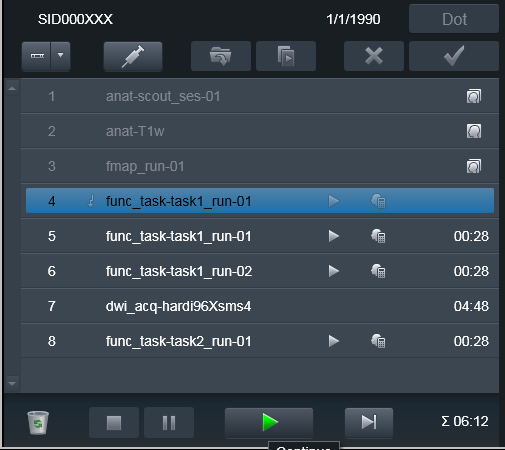
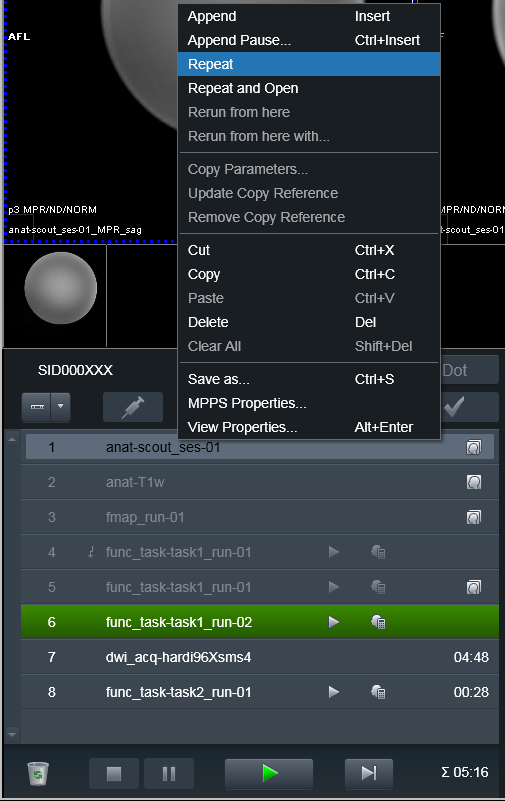
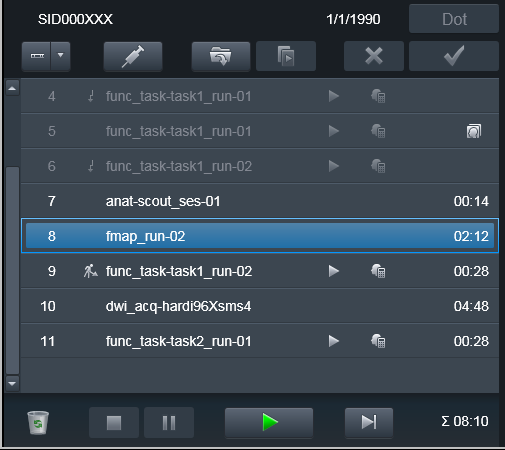
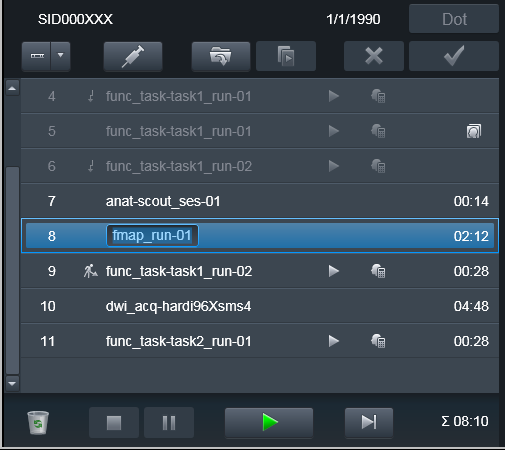
Sometimes it is necessary to take a subject out of the scanner and
bring them back later to finish the scanning session. Typically some volumes
(e.g. at least scouts and fieldmaps) need to be re-run. Because it is
desirable to keep both versions of the files -- from the original scanning
session and from the continued one -- you would need to Repeat those scans,
but this time assign them a new suffix. E.g. you could assign the _run-
suffix matching the _run- suffix of the next functional run, so that it is
easier later on to associate fieldmaps with the corresponding
functional run file(s).
Done again
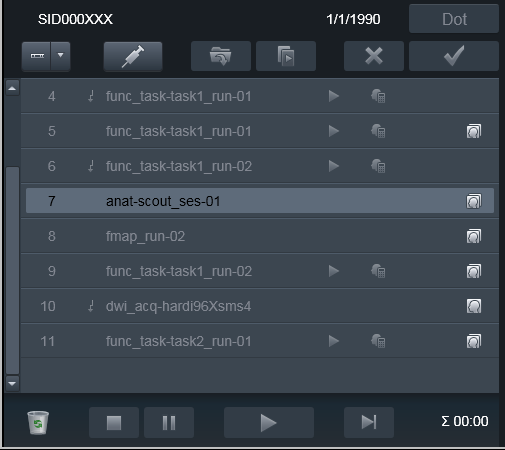
The data was transmitted to PACS and is ready for processing using
heudiconv -f reproin.