DataLad
The DataLad Handbook is the ultimate introduction to DataLad.
An example of sample analysis using DataLad & containers
This is an example of how to organize your study as a DataLad dataset and use the datalad-container extension to facilitate efficient and reproducible research:
# Create a dataset where we will keep all bits and pieces of a study.
# With -c text2git we instruct data files to go to the annex, while
# text files (code, docs, scripts) go to git.
datalad create -c text2git 1021_actions
cd 1021_actions
# Install a (sub)dataset with (Singularity) containers
datalad install -d . http://github.com/repronim/containers
# Install a ReproIn'ed dataset from rolando
datalad install -d . -s rolando.cns.dartmouth.edu:/inbox/BIDS/Haxby/Sam/1021_actions bids
# Get only sample data (1 subject) for the demonstration here
datalad get bids/sub-sid000005
Meanwhile, have a look at
-
a typical YODA workflow with ReproNim/containers
-
an example, a bit too convoluted at the moment, of using either
datalad runorreproman runfor scheduling parallel execution across the cluster -
possible future answers on NeuroStars
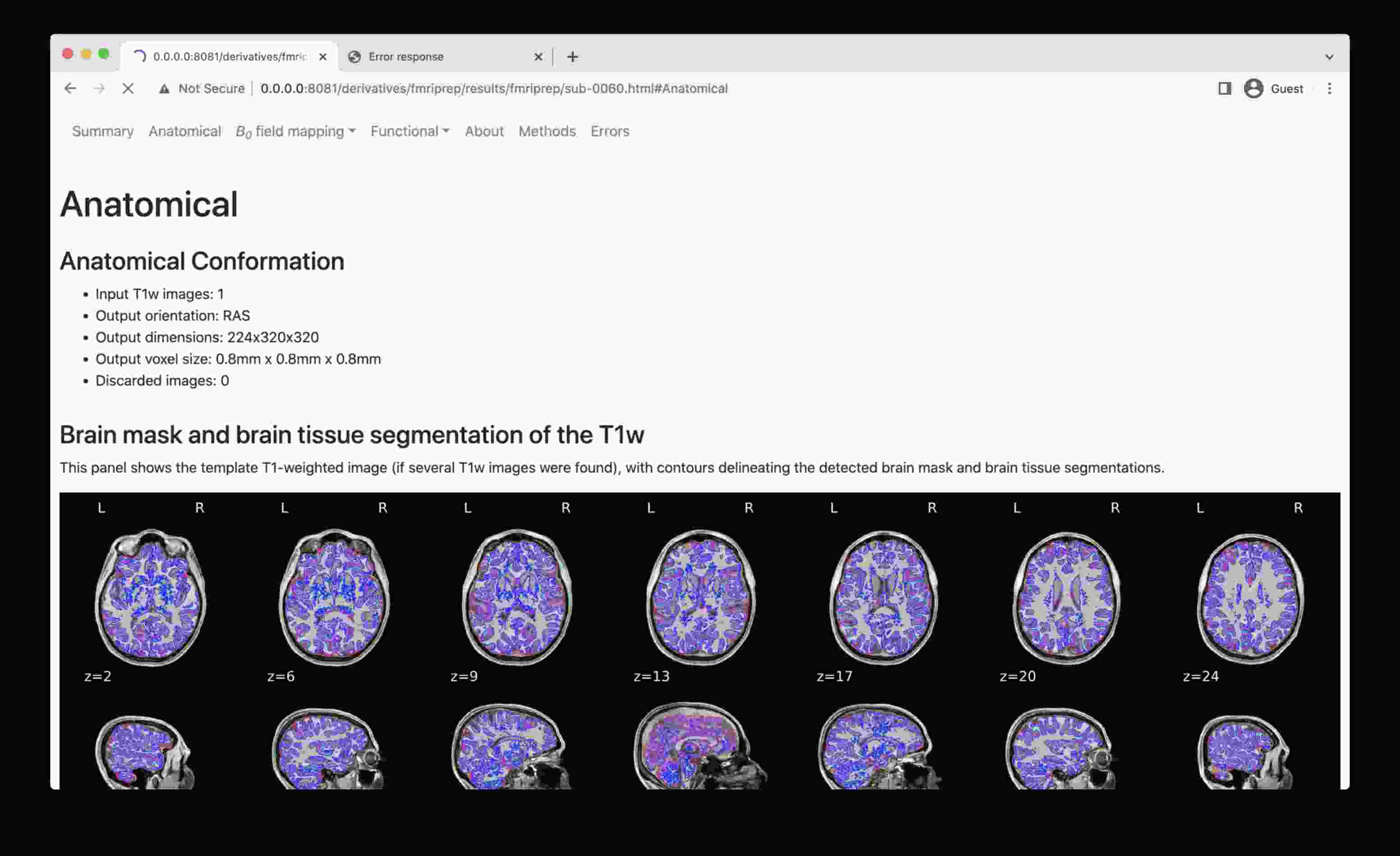
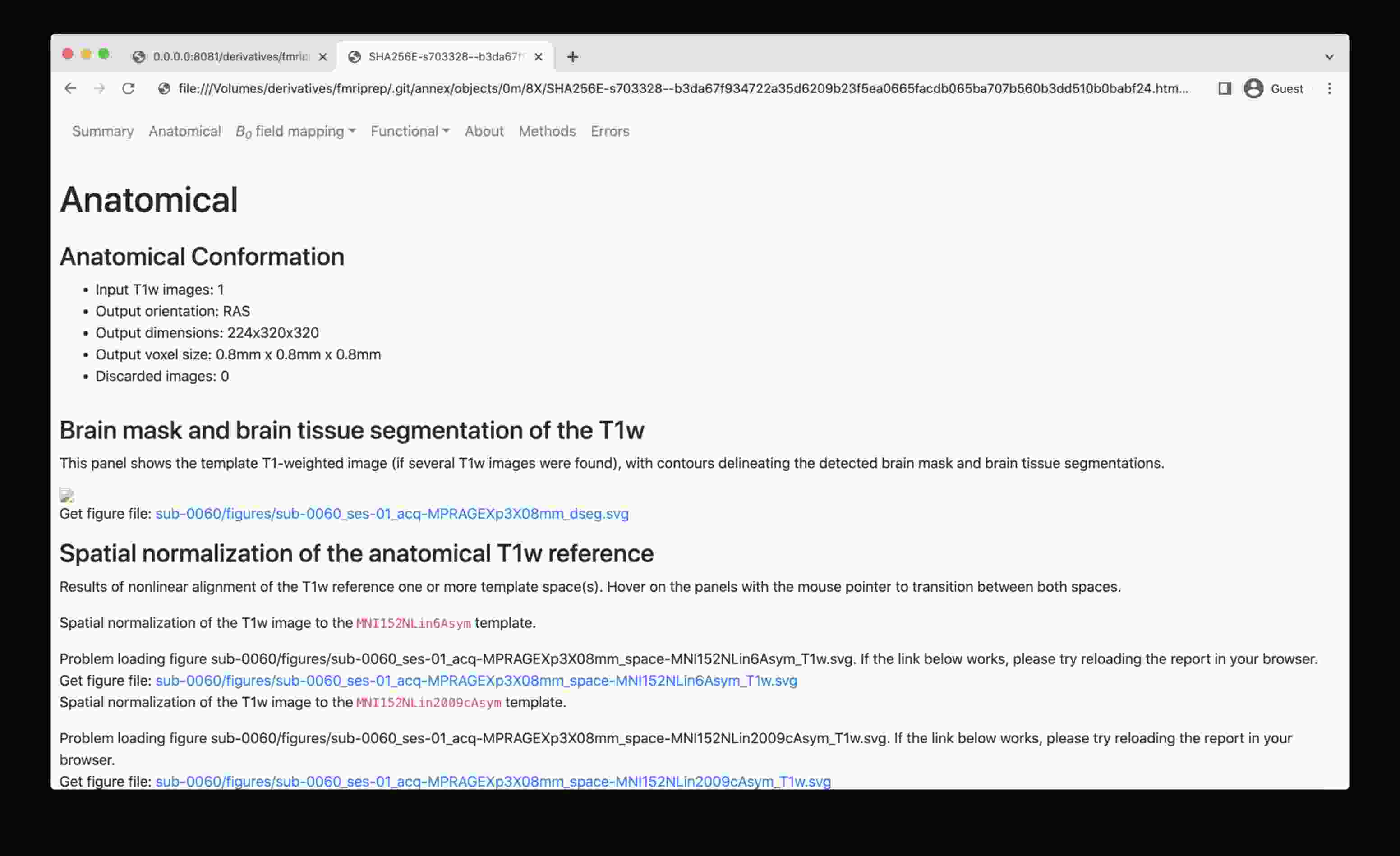
How to view mriqc/fmriprep/etc DataLad'ified results in a browser
The problem: a web browser de-references symlinks, which leads the .html file into a .git/annex/objects subfolder and thus makes it impossible to see the images.
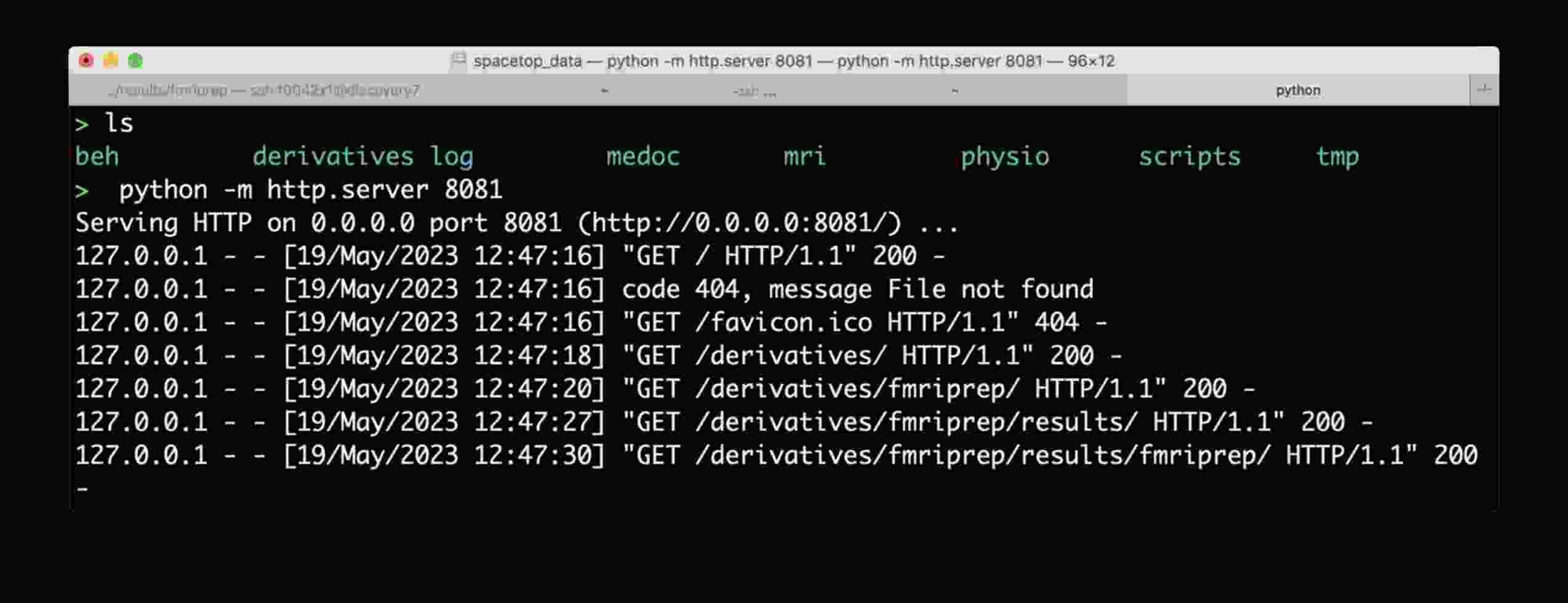
To overcome this, start a simple web server, e.g. the one provided by Python itself, and navigate to the file of interest:
- Run this line of code in the local directory (e.g. where you have mounted the Discovery directory, or have a local clone with the data fetched):
python -m http.server 8081 - Copy the URL it prints out (typically
http://0.0.0.0:8081/) into your web browser address bar - Now you should be able to access HTML outputs with embedded images at that address -- just navigate to the
.htmlfile of interest and open it
DataLad way
Make sure that git is configured, in that it knows about you.
If git config user.name prints something, then most likely you are all set.
If it comes out empty, please do
while replacing those values with your name and email.
If you are doing this on the Discovery HPC, please first read the section on installing data on Discovery on how to configure git for Discovery's ACL filesystem, unless you know that it is pure POSIX.
Then it is recommended to create a directory for your study first, e.g. mkdir ID_name where ID_name is the same as on rolando, e.g. 0001_dbic-animals, and cd into it:
Use the datalad install command
to obtain the dataset, and then datalad get to
obtain specific files. If you are greedy, add -r to get the full hierarchy of datasets, and/or -g
to immediately fetch all data files as well:
datalad install -s your-login-on-rolando@rolando.cns.dartmouth.edu:/inbox/BIDS/dbic/0001_dbic-animals dbic
cd dbic
datalad get -J4 sub-*  # to get only converted data, without tarballs etc.
                       # on Discovery use -J1 instead; see the Discovery HPC page
Later upgrades, to fetch new data (subjects etc.), can be done via